Flanks Platform
The Flanks platform is accessible via https://platform.flanks.io. Your contact at Flanks will facilitate your access to this platform. In case you face any problem with your access credentials you can contact: [email protected].
Create an Application
An Application holds the CLIENT_ID and CLIENT_SECRET you need to
authenticate your calls to the Flanks APIs. You create
Applications from the platform:
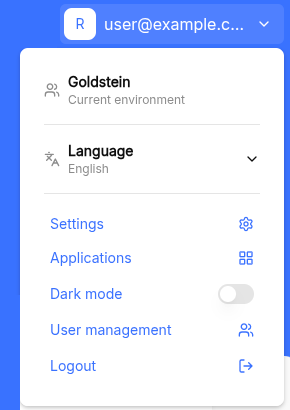
1. Open the user menu in the top right corner and click Applications.
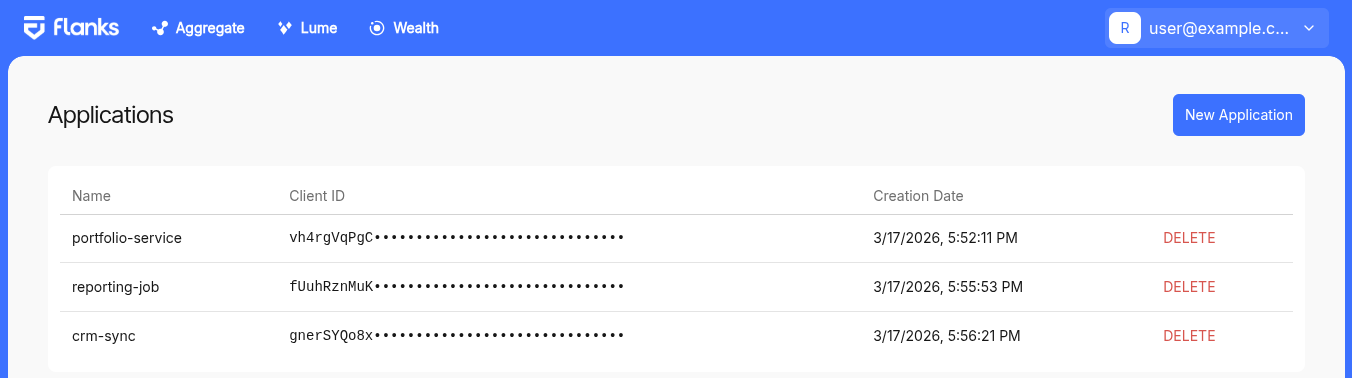
2. The Applications page lists the Applications of your environment. Click New Application.
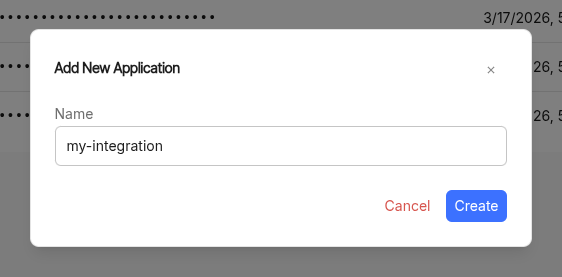
3. Give the Application a name and click Create.
The name must be unique within your environment.
4. Copy the CLIENT_ID and CLIENT_SECRET values.
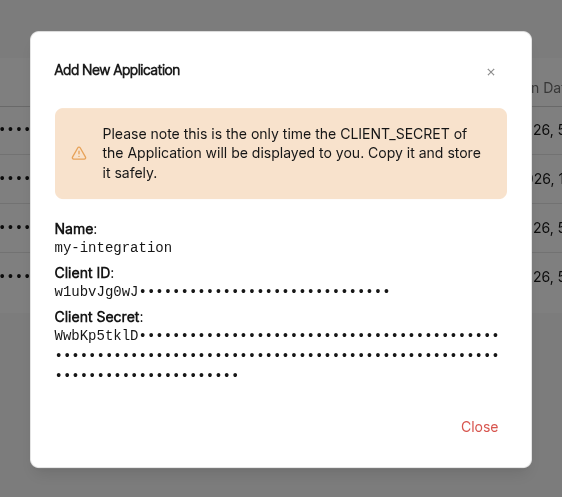
Warning
The CLIENT_SECRET is shown only at this point and we will never show it to you again.
Copy it and store it safely: if you lose it, you will have to create a new Application.
With these two values you can now get an access_token
and start calling the Flanks APIs.
I don't see the Applications section
Managing Applications is a permission granted per user. If Applications does not appear in your user menu, your user does not have that permission: contact your Flanks contact person or write to [email protected] to have it enabled.